DJI mission-file guide
WPML and KMZ mission planning for DJI drones
Plan a mapping route, review its flight settings, and export a DJI mission file (KMZ). This guide explains the file and the checks to make before flying it.
File structure
What are WPML and KMZ?
KMZ is a compressed archive based on KML. It carries the mission files as one package; the .kmz extension alone does not make a file flyable.
WPML is DJI’s waypoint mission markup inside the KMZ. It describes the aircraft, route points, speeds, headings, camera actions, and finish behaviour. The DJI workflow expects those documents in specific files and folders.
Workflow
How FlyPath builds a mapping mission
- 01
Define the survey geometry
Draw the area or import a KML boundary. A boundary supplies the shape; FlyPath builds the flight route from it.
- 02
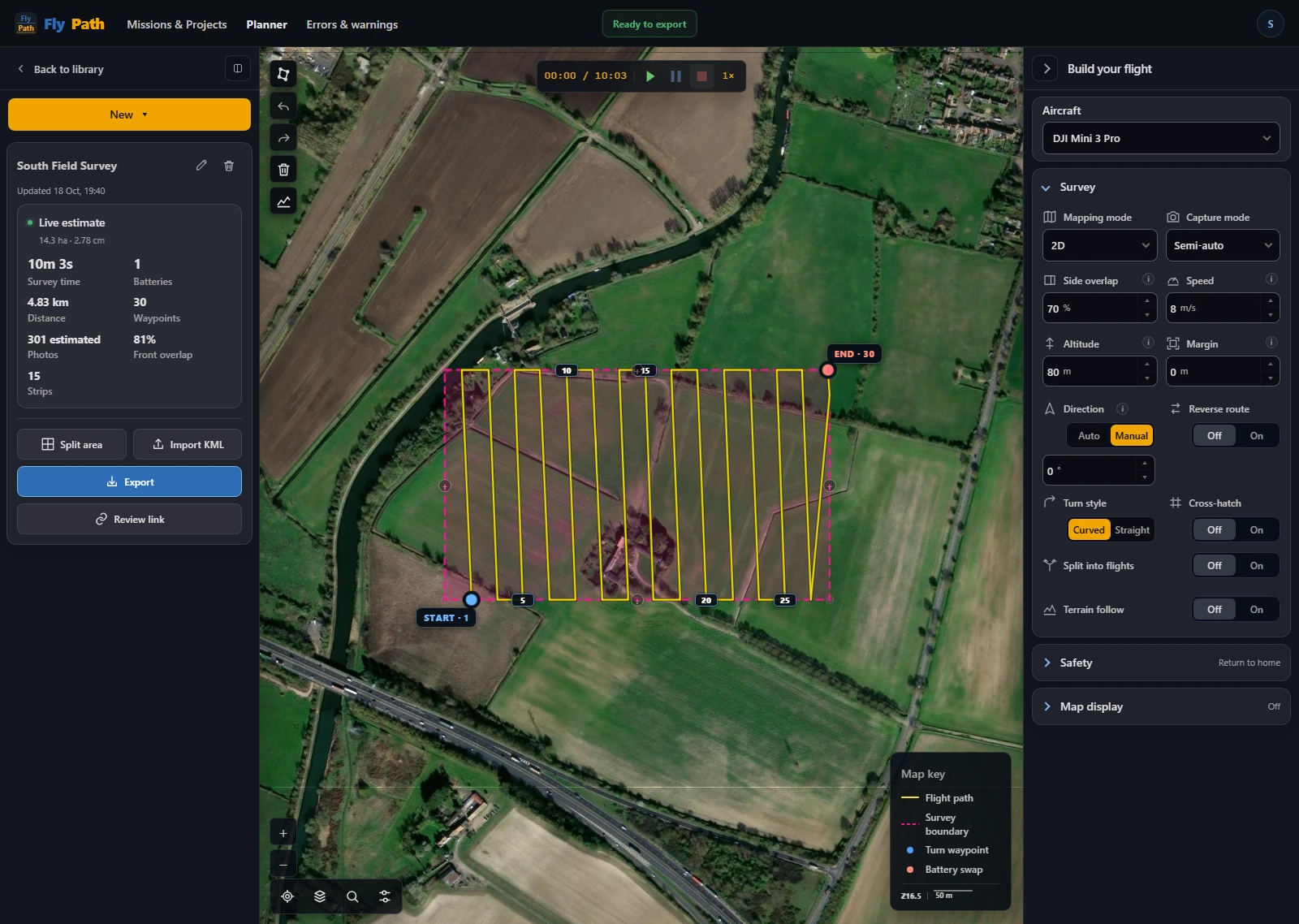
Generate and tune the grid
Choose the aircraft profile and adjust capture mode, altitude, overlap, speed, and direction.
- 03
Review the mission
Check route estimates and safety-sensitive settings such as finish and controller-loss actions.
- 04
Package the export
Generate the KMZ with the WPML mission documents and transfer it through the workflow supported by the target DJI setup.
Validation
Check every generated mission before flight
A technically valid archive is not automatically a safe or compatible flight. Aircraft models, controllers, DJI applications, and firmware releases can interpret or restrict mission features differently. The same route may also be unsuitable after conditions at the site change.
- Open the exported mission on the intended controller or DJI application.
- Confirm the aircraft and payload assumptions.
- Review every waypoint altitude, speed, heading, and camera action.
- Check the route against obstacles, terrain, airspace, and local regulations.
- Verify finish and lost-link behaviour.
- Use a conservative test route before operational deployment.
Build the route