Browser-based flight planning
DJI drone mission planner for mapping surveys
Draw a survey area, tune the flight settings, and review the route before exporting a DJI mission file (KMZ). FlyPath keeps the steps together in your browser.
The pilot and operator remain responsible for airspace authorization, local flight rules, weather, obstacles, site access, and pre-flight review.
Planning workflow
From survey boundary to a reviewable route
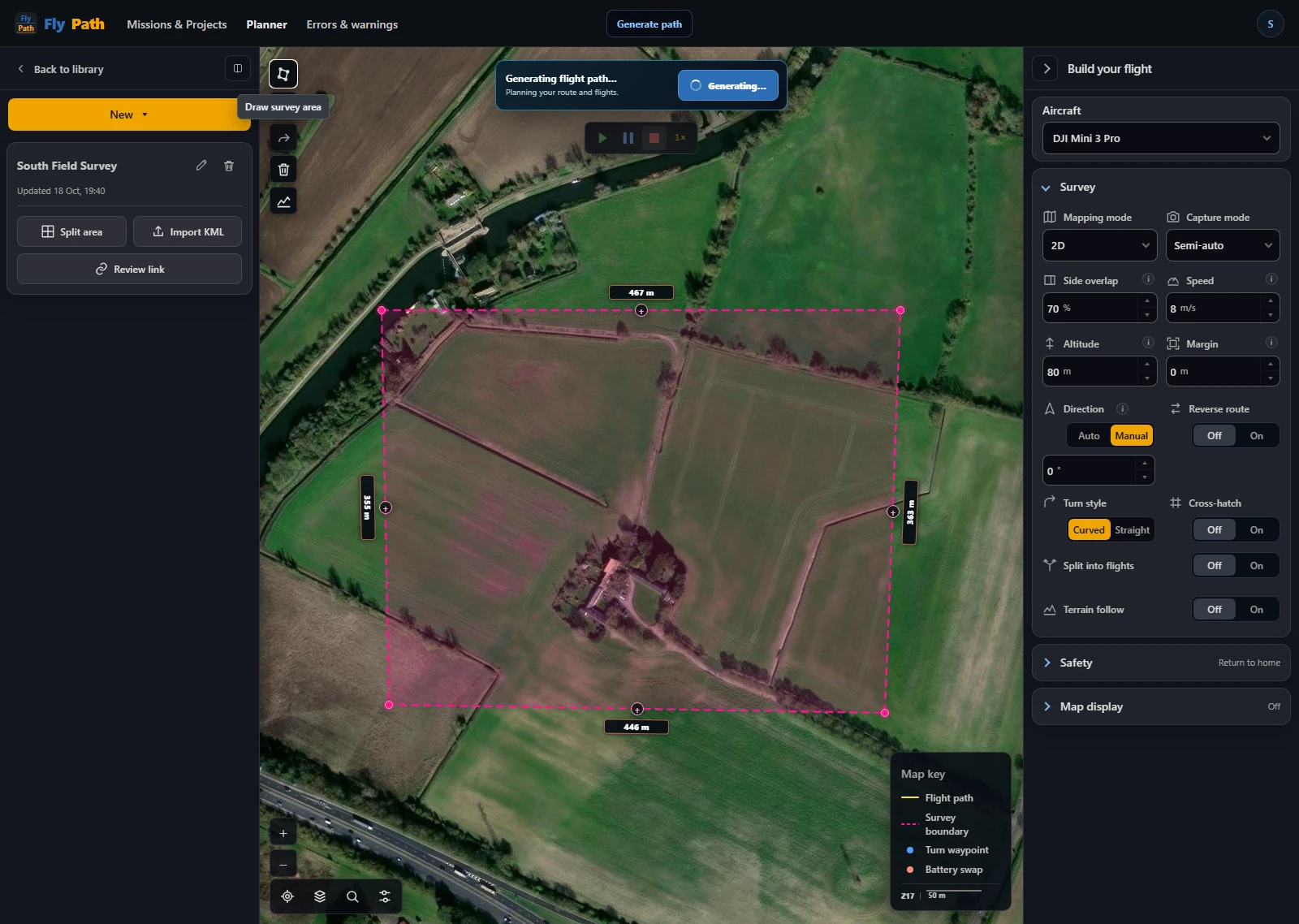
Draw a survey area or import a KML boundary. FlyPath generates flight lines and estimates area, photo count, ground sample distance, and flight time.
Adjust altitude, overlap, speed, and capture mode while you review the route. Check safety settings and the estimated result before exporting.
Core capabilities
Tools for repeatable drone mapping plans
Map-based survey design
Draw a polygon around the site and generate a lawnmower-style mapping grid directly in the browser.
Aircraft-aware estimates
Use planning profiles for DJI Mini 3 Pro, Mini 4 Pro, Mini 5 Pro, Air 3, Air 3S, Mavic 3 Classic, and Mavic 4 Pro. Multi-camera aircraft require the wide mapping camera; Matrice 4E export remains in validation.
Capture mode, overlap, and GSD
Choose semi-auto or full-auto capture, then adjust altitude, speed, and overlap while watching the mission and capture estimates change.
Mission review before export
Review altitude, boundary margin, finish action, and controller-loss behaviour before generating the mission file.
DJI output
Export a DJI mission file (KMZ)
Compatibility can vary by aircraft, controller, firmware, and DJI application. Always review the imported route on the intended controller, confirm waypoint altitude and actions, and perform a conservative field test before using a generated mission operationally.
Free access